
Great tutorial Danny, I learn’t a couple of things:)

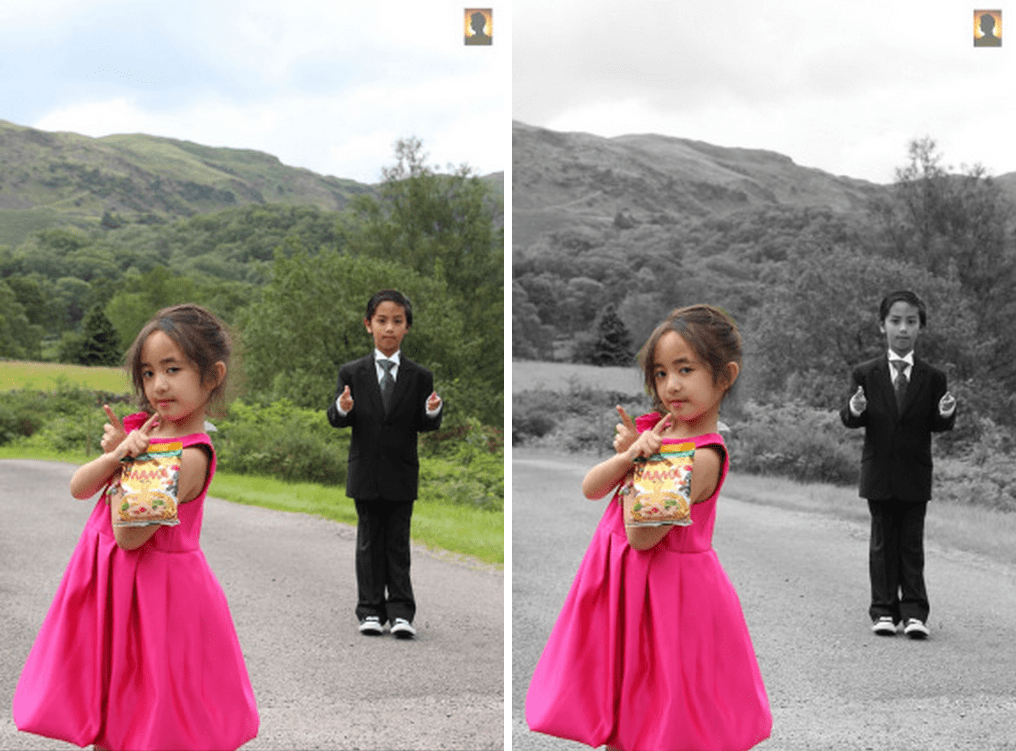
Following on from my graffiti tutorial, I put together another video to show how easy it is to colorize your photos for free using GIMP rather than Photoshop.
This is a really quick effect to put together, but can produce fantastic results. I hope you can spare a few minutes to watch the video (ok, it’s 7 minutes long!):
Otherwise here are the highlights:
Step 1 Create a B&W version of your photo
The easiest way to do this is by creating a new copy of the image and simply setting the Image->Mode settings to Grayscale. You can then copy the B&W photo back into the original photo as a new layer.
Step 2 Add Layer Mask
The layer mask (with Full Opacity) allows you to cut holes in the B&W layer to reveal the color layer underneath. It can be found under Layer->Mask->Add Layer Mask, or by right-clicking…
View original post 189 more words

 Don Charisma
That’s awesome I always use gimp to edit my photos like that and do graphic design.
Danny’s done a great job on this tutorial…I’m kind of stuck on photoshop, but Danny’s using GIMP so we have twice the skills together…
Hope you are well,
Cheers
DC